Save, fill in and reuse your best AI prompts.
Keep the instructions that work. Fill in what changes, then copy a ready-to-use prompt into any AI assistant.
Save, fill in and copy. No AI provider needed.
Write it once
<TASK>
Write a {{tone}} reply to a customer
whose order is {{days_late}} days late.
Say what happens next. Keep it under 120 words.
</TASK>
- tone
- warm and direct
- days_late
- 3
Make it yours
<TASK>
Write a warm and direct reply to a customer
whose order is 3 days late.
Say what happens next. Keep it under 120 words.
</TASK>
Built for prompts you use more than once
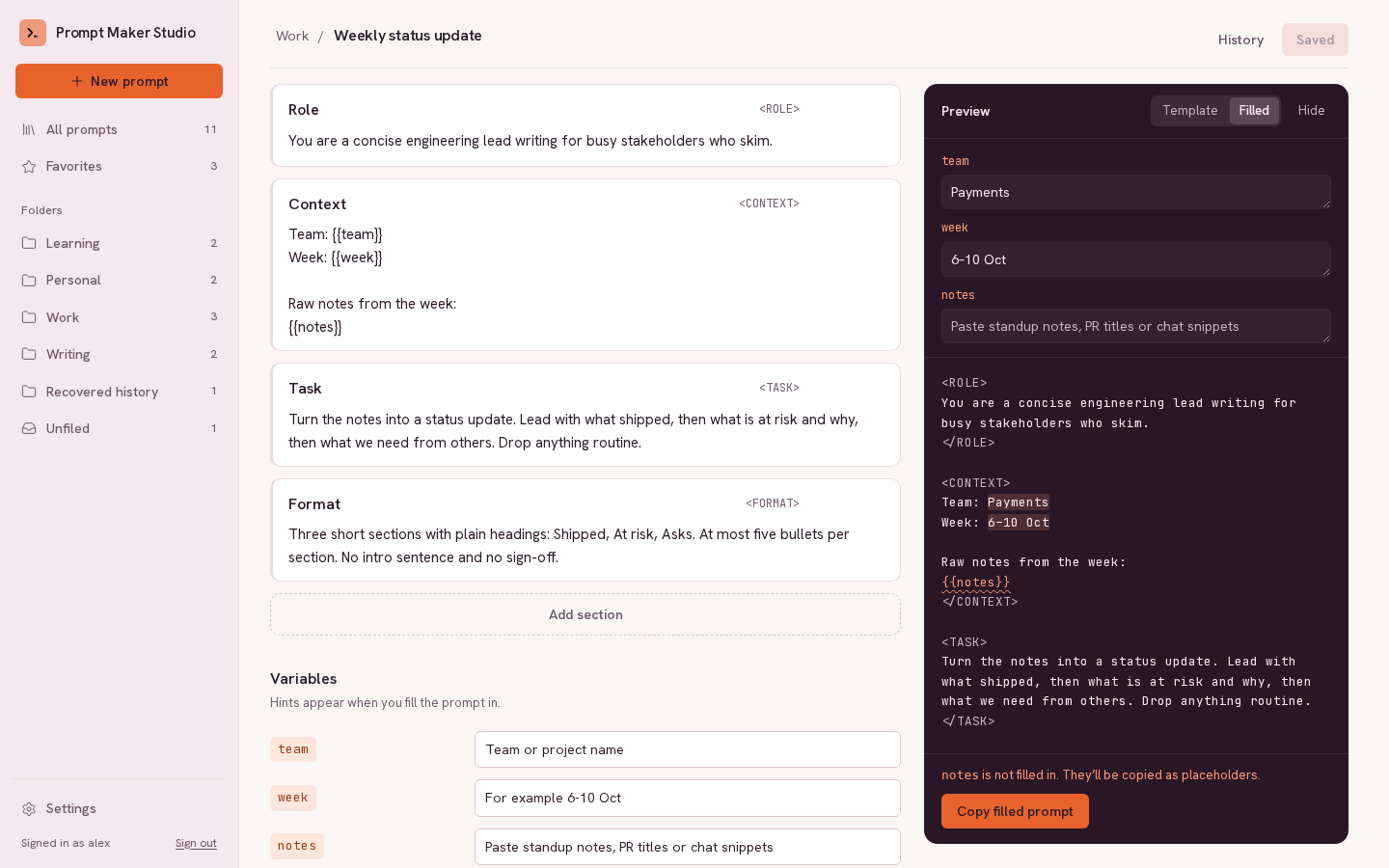
- Sections and variables
- Split a prompt into Role, Task, Format or any sections you name. Use
{{team}}for the parts that change, with a hint for each one. - Copy filled prompt
- Fill in the variables and copy the finished text, or copy the template as it is. The preview shows exactly what you will paste.
- Bring your existing prompts
- Paste a prompt or import Markdown notes, such as Notion or Obsidian exports. Importing copies them once; import again to add new notes or update prompts that changed. Placeholders like [topic] become inputs, and an AI provider you connect can split a prompt into sections for you to review.
- History
- Every save keeps the previous version. Compare versions word by word and restore any of them.
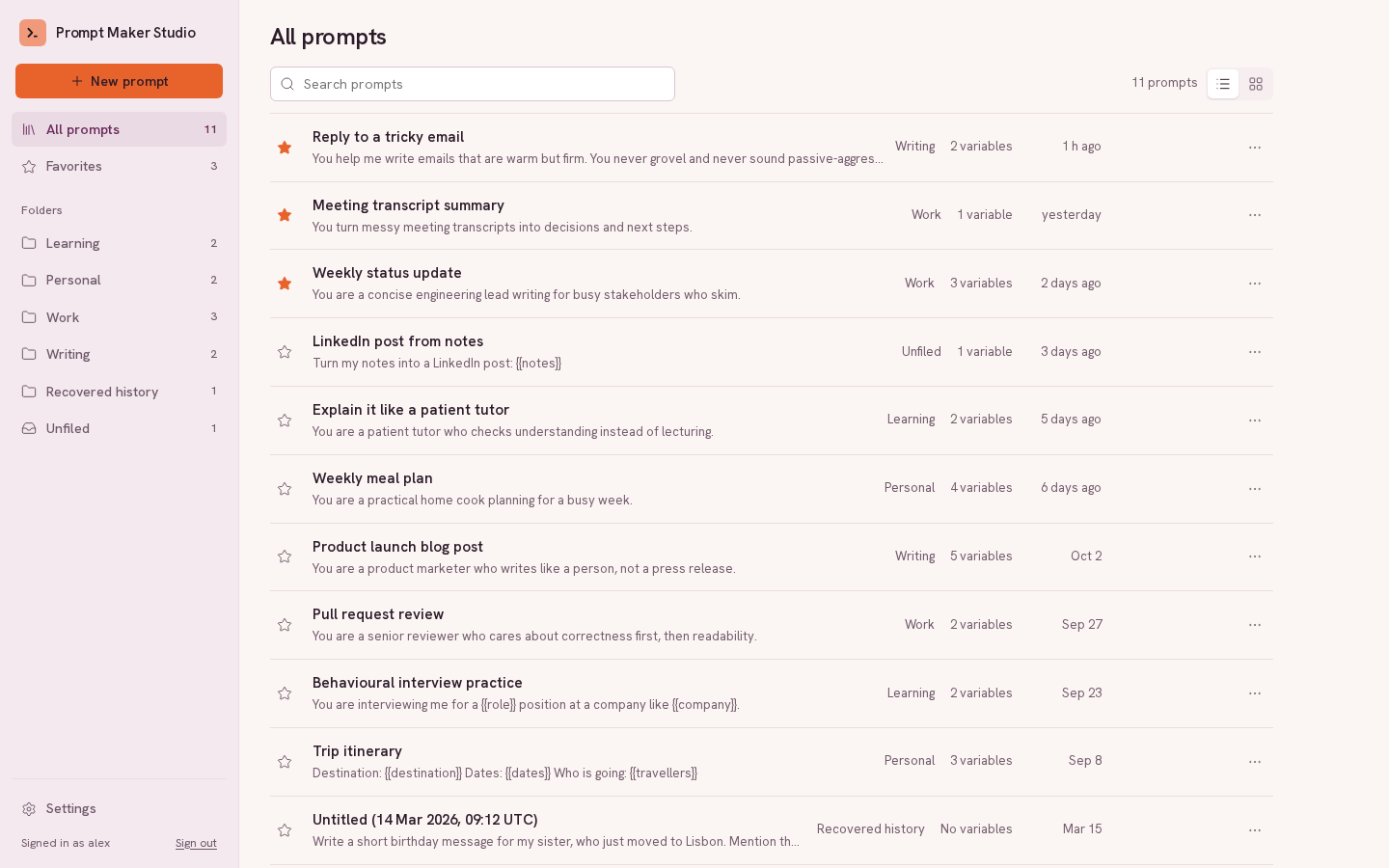
- Folders, favourites and search
- Find a prompt by its name, its folder or any text inside it.
- Your library in ChatGPT and Claude
- Connect your account to ChatGPT or Claude to list, open, save and update prompts without leaving the chat.
Learn with examples
- How to create reusable AI prompts
Turn a prompt you keep retyping into named sections, save it in your library, and keep improving it without losing earlier versions.
- How to use variables in AI prompt templates
Build a weekly update template with {{variables}}, add hints and example inputs, and copy a filled prompt into your preferred AI assistant.
- How to organize and reuse your ChatGPT prompts
Keep useful ChatGPT prompts in a personal library with clear names, folders, favourites, search and version history.
- What makes a good AI prompt
The six parts most prompts need (role, context, task, format, constraints and examples), with a complete example and how to test and improve a prompt.
- How to write prompts for coding agents
Brief Claude Code, Codex or Cursor like a work ticket: the goal, where to look, constraints, a checkable definition of done and what to report.
- How to write image generation prompts
Describe subject, setting, composition, style, lighting and format so ChatGPT (GPT Image), Midjourney, Stable Diffusion or Gemini produce the picture you have in mind.
- Prompts for research and writing
Get summaries and drafts that stay close to your sources: citations, audience, tone, structure and what the model should do when information is missing.
Free prompt templates
- Bug fix brief for a coding agent
Find the root cause of a bug, fix it minimally and prove it with a regression test.
- Summarize sources with citations
A cited summary that uses only the sources you paste and admits what they do not cover.
- Product photo
A clean studio-style product shot with controlled light, background and framing.
- Meeting summary with action items
Decisions, open questions and owned action items from a transcript or notes.
- Plan a feature before coding
Get an implementation plan with files, steps and tests to review before the agent writes code.
- Blog post draft from key points
A readable first draft that keeps your facts and voice, and flags what needs detail.
Free prompt tools
- Prompt template filler
Paste a prompt with {{variables}}, fill in a field for each one and copy the finished prompt. Runs in your browser; nothing is uploaded.
- Prompt checker
Check a prompt for a missing role, output format, length or example, and for broken tags and variables. Runs in your browser; nothing is uploaded.
- Prompt refiner
Paste a prompt and get a clearer, more specific version, with optional questions about what you need. Free to try without an account, within daily limits, where this site offers it.
- Prompt diff
Compare two versions of a prompt word by word to see exactly what changed. Runs in your browser; nothing is uploaded.
- Prompt token counter
Estimate how many tokens a prompt uses and what it costs across current OpenAI, Anthropic and Gemini models. Runs in your browser; nothing is uploaded.
Open source, and yours to host
Prompt Maker Studio is licensed under Apache-2.0. Use it here, or run your own copy with Docker. Saving and filling in prompts needs no AI connection. Optional AI features use your own OpenAI, Anthropic, Gemini, Ollama or other OpenAI-compatible provider, or a shared connection when the server offers one.
Open the app